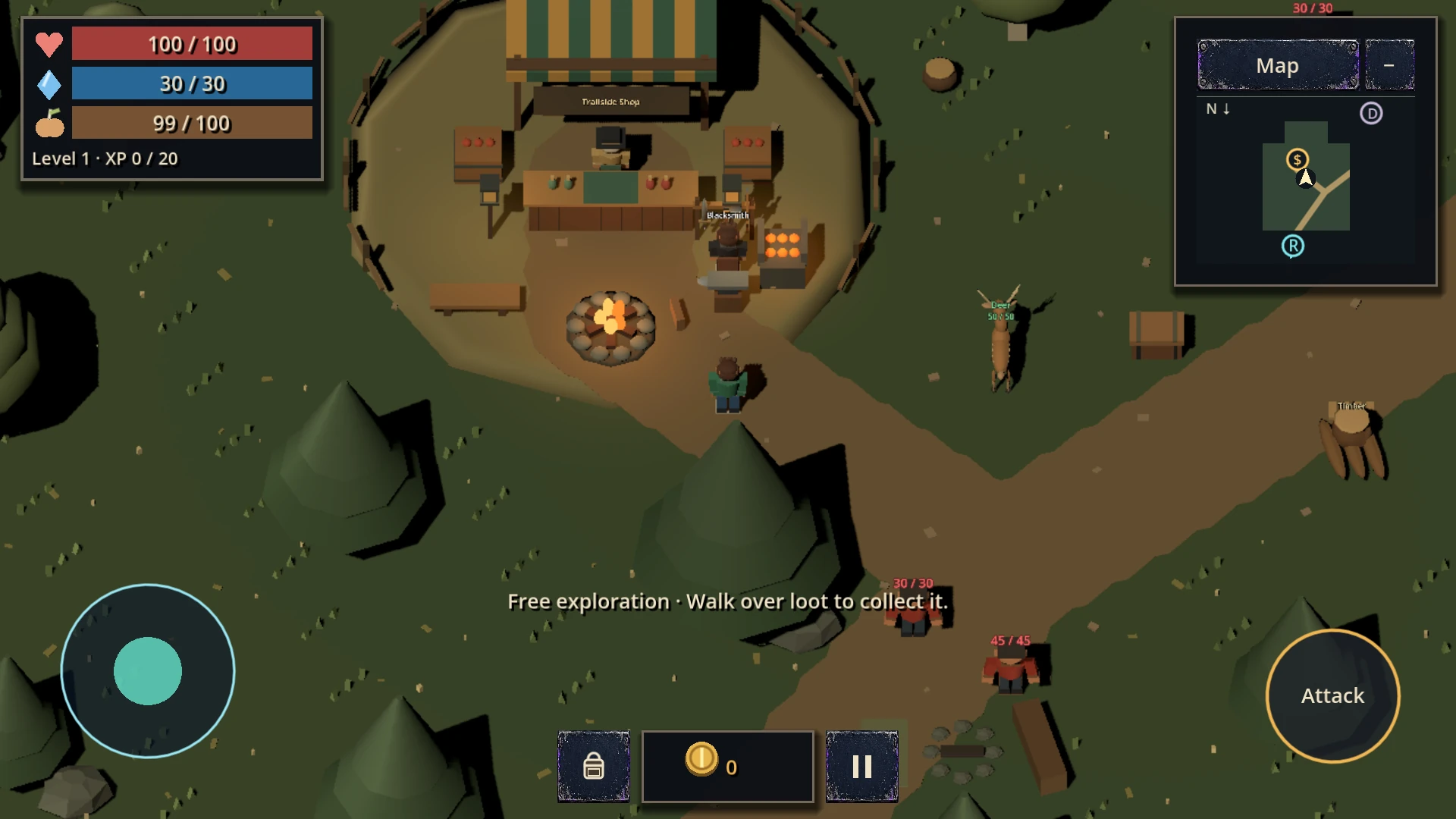
City Slash has three modes: Campaign, Arena and Open World. They differ in how your character develops, not just where you play. Here’s which mode to try first, what you keep after a defeat and what to look out for when starting out.
Which mode should you start with?
Campaign and its training area are a good way to learn combat. Training is optional: you can enter the first district without completing it.
- Campaign
- Combat districts, bosses, temporary upgrades during a run and permanent upgrades between runs.
- Arena
- Successive enemy waves, a choice of fighters and personal records. Unlocks after you complete the castle in Campaign.
- Open World
- A separate character with exploration, quests, dialogue, equipment and its own progression.
You can choose Open World separately — you don’t have to finish Campaign first.
Try training and learn your abilities
In Campaign, open the district map and choose Training. The training yard introduces movement, basic attacks, upgrades, abilities and the supply shop.
On Android, move with the virtual stick on the left and use the buttons on the right to attack and activate abilities. Training lets you try a circular strike, a dash and healing.
- The upgrade button with an arrow lets you spend points earned from combat levels.
- The health panel opens your character’s stats and information about the current run.
Levelling up does not pause combat or open the upgrade menu. You can save up points, but you need to choose upgrades yourself. Combat pauses while the upgrade menu is open.
Temporary and permanent upgrades
In Campaign, your character develops in two ways.
During a run
You earn combat experience and choose upgrades. Your combat level, chosen upgrades, unspent points, sticks and poop belong to the current run. They do not carry over to the next one.
Between runs
You keep crystals, unlocked districts and permanent upgrades. Crystals you pick up are saved even if you lose.
A failed attempt can still help you move forward: use the crystals you collected to prepare for your next run.
How to spend your first crystals
The Campaign hub has two permanent upgrade paths: health and damage.
| Upgrade | Per level | First purchase |
|---|---|---|
| Health | +20 HP | 5 crystals |
| Damage | +5 to basic attack damage | 5 crystals |
Later levels cost more, separately for each path: 10, 15, 20 crystals and so on. Each path has up to ten levels.
If you often die before finishing a district, try increasing health first. If you dodge confidently but take a long time to defeat enemies, you could start with damage. This is a suggestion for your first purchases, not a compulsory upgrade order.
Getting through your first fights
Keep moving between attacks. Leave yourself room to retreat and watch for enemies winding up their strikes. The circular strike helps against groups, while the dash lets you reposition.
Remember to spend upgrade points and use the supply shop. Temporary resources are for the current run — there is no point saving them for the next one.
In the first district, defeating enemies fills the zone progress bar and brings you closer to the boss appearing. Other districts may have different progression requirements, so follow the current objective on screen.
Leaving an unfinished run loses its temporary upgrades. You keep crystals and permanent upgrades.
When does Arena unlock?
Arena becomes available after you complete the castle in Campaign. Your goal is to survive enemy waves and improve your result.
Each completed wave awards 2 crystals. The crystal balance is shared with Campaign. Some fighters require further Campaign progress and a crystal purchase; the selection menu shows the requirements.
For your first attempt, choose an available fighter and learn their abilities. Your Campaign experience will help, but their moves may be different.
Your first steps in Open World
Open World uses three separate character slots. Campaign run rules do not apply here: your character has their own items, quests and progression.
Start by talking to the old man in the dungeon. He gives you supplies and your first task. Completing it earns you coins and a vest.
You need to equip the vest yourself through the inventory. Receiving an item does not automatically equip it.
After the opening task, a guidebook becomes available in the dungeon. It covers controls, the map, quests, food, combat, trading and other mechanics. You can return to the book later.
Before heading further out:
- check your equipment;
- check how much food and how many healing items you have left;
- read your current quest and use the map;
- consider your character’s diet — not every kind of food suits every species.
Satiety helps you recover, so watching your health bar alone is not enough.
Keeping your progress safe
The game saves permanent progress locally on your device first. Version 1.4.6 includes cloud saves on Android through Google Play Games. They depend on your connection, account and service availability.
Check the sync status before changing devices. If the game asks you to choose between local and cloud progress, compare the information shown before deciding.
For extra protection, you can export a backup and keep the file separately. Uninstalling the app is not a good way to fix a save problem.
A plan for your first session
Complete training, try the first Campaign district and learn how to buy a permanent upgrade. Then continue Campaign or create an Open World character.
Focus on the difference between a temporary run and permanent progress, learn your abilities, and remember to equip the gear you find.